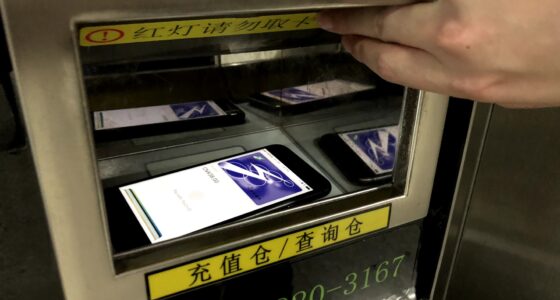
Shanghai runs on mobile payments. Alipay and WeChat Pay are how people pay for everyday things across the city — from taxis to noodle stalls to luxury malls. For tourists, getting these set up correctly is the single most important pre-trip step. This 2026 guide to Alipay and WeChat Pay for tourists in Shanghai walks you through the foreign-card binding process, security, fees, common errors, and how to use them at every typical transaction.
This guide is about the apps: setting them up, and using them day to day. For cash, ATMs, exchange rates and the VAT refund desk at the airport, read our Shanghai money and currency exchange guide instead — the two are designed to be read together.

Table of Contents
- Why You Need These Apps
- What Changed in 2024–2026
- Alipay or WeChat Pay for Tourists in Shanghai?
- Alipay Setup (Step by Step)
- WeChat Pay Setup
- The WeChat Verification Problem
- How to Use Daily
- Paying for Metro, Taxis and Bikes
- Fees & Limits
- Troubleshooting
- Useful Mini-Programs
- Your First Two Hours in Shanghai
- Security Tips
- Practical Tips
- FAQ
Why You Need These Apps
Three reasons:
- Widely accepted — restaurants, taxis, museums, attractions, shopping
- Cash is becoming rare — many vendors actively prefer not to take cash
- Foreign credit cards have limited acceptance — even at chains like Starbucks, mobile payment is faster
Without Alipay or WeChat Pay, you’ll struggle at hundreds of micro-transactions. Setting both up before you fly spares you a lot of confusion at the till once you land.
It is not only about paying. Half the things a visitor wants to do in Shanghai now sit inside these apps rather than on a website: reserving a free museum slot, unlocking a bike, calling a taxi, checking a bus route, ordering at a restaurant table where the paper menu no longer exists. Arriving without them is not impossible — it is the difference between doing things and asking someone to do things for you.
Alipay and WeChat Pay in Shanghai: What Changed in 2024–2026
If you last read about this before 2024, most of what you know is out of date. Three things moved.
- Direct foreign-card binding replaced the old workaround. WeChat Pay opened its merchant network to international cards in July 2023, and you can now add a foreign card straight into either wallet; which card networks are accepted, and what identity check you face, depend on the app and your account. The prepaid “Tour Card” wrapper still exists inside Alipay but is now a fallback for people whose bank refuses the direct binding, not the standard route.
- The regulator raised the ceilings. In 2024 the People’s Bank of China lifted the single-transaction cap for overseas visitors from US$1,000 to US$5,000, and the annual cumulative cap from US$10,000 to US$50,000. Alipay also went from two interface languages to sixteen.
- Acceptance of foreign cards at physical terminals improved in hotels, department stores and larger restaurants, as part of the same official push. It has not improved at the noodle shop, and it will not.
What has not changed: international-card payments above ¥200 still carry a 3% fee unless a promotion waives it, and staffed shops and counters are generally still required to take cash as well. Plan for the apps to be your primary method and carry a small cash float anyway.
Alipay or WeChat Pay for Tourists in Shanghai?
| Alipay | WeChat Pay | |
|---|---|---|
| Setup difficulty | Straightforward; passport + selfie | Harder — account registration often needs a verifier |
| English interface | Available in 16 languages | English available, with payment guidance in 16 languages |
| Cards accepted | Visa, Mastercard, Amex, JCB, Diners, Discover | Visa, Mastercard, JCB, Diners; Amex patchier |
| Verification wait | Varies; the app shows the status | Passport checks can take only seconds |
| Best at | Retail, metro, taxis, attraction tickets, mini-programs | Small vendors, market stalls, splitting bills, messaging |
| Tourist extras | Translation, transit codes, ride-hailing | Group chats and contact with hosts, guides, drivers |
The honest recommendation: set up Alipay properly and treat it as your payment method. Set up WeChat as well, but mainly so you can message people — guesthouse hosts, guides and drivers all communicate on it, and a Chinese contact who cannot reach you is a problem. If you only have time for one before your flight, make it Alipay.
One exception. If you are travelling from South-East Asia or Korea, check whether your home wallet works directly in China through Alipay’s partner network — several regional e-wallets, along with services like TrueMoney and Changi Pay, are accepted at participating Chinese merchants without setting up anything new.
Alipay Setup (Step by Step)
Do This Before Flying
- Download Alipay from your home App Store or Google Play (search “Alipay”)
- Open and sign up using your home phone number — receive SMS verification code
- Set up Account ID + password
- Open “Me” tab → “Bank Cards”
- Tap “Add Bank Card” → choose “International Card”
- Enter Visa, Mastercard, Amex, or Diners Club details
- The card appears in your wallet — it is bound
- Complete passport verification: upload passport photo + selfie
- Allow time for verification and follow the status shown in the app
- Once verified, test with a small purchase (¥5–10) at a merchant that takes Alipay; “Send Money” transfers can’t be paid from a foreign card
Two points the step list glosses over. Your bank or Alipay may send a verification code when the card is added, so do this somewhere you can receive texts on your registered phone number or open your banking app — not at 30,000 feet, and not after your home SIM has been swapped for a local one. And the name on your passport must match the name on the card exactly; a missing middle name or a maiden name can make verification fail.
Do it a week before you fly, not the night before. If the identity check bounces, you want time for a second attempt.
What You Need
- Valid passport matching your card name
- Foreign credit card — Visa, Mastercard, Amex, Diners Club (Discover limited)
- Smartphone with international data or WiFi
- Selfie capability (front camera)
- Home phone number for SMS verification
Funding Options
- Foreign Visa/Mastercard linked directly — each purchase is charged to your card; 3% foreign-transaction surcharge above ¥200
- Top-up with foreign card — pre-load Alipay balance; transactions then come from balance (cheaper for many small purchases)
- Chinese bank account (not for tourists)
WeChat Pay Setup
- Download WeChat from your App Store
- Sign up with foreign phone number; complete profile
- Tap “Me” → “Services” → “Wallet”
- Tap “Add Card” → enter Visa/Mastercard/Amex
- Complete identity verification (passport + selfie)
- Wait for verification
- Test with a small transaction
WeChat Pay’s foreign-card binding works similarly to Alipay but with slightly more limitations:
- Verified international users can pay up to US$5,000 per transaction and US$50,000 a year; the app shows your own limit
- Some merchants prefer Alipay; mostly equivalent
Most travelers find Alipay sufficient on its own. WeChat Pay is useful as a backup and for the occasional WeChat-only payment.
The card-binding step itself is the easy part — often confirmed in seconds. The hard part is getting a WeChat account to exist in the first place, which is covered next. Note also that WeChat’s English interface is partial: some payment screens and most mini-programs stay in Chinese, so keep a translation app to hand. Our language barrier tips cover the ones that work offline.
The WeChat Verification Problem
This one catches tourists out because you cannot solve it on your own. WeChat’s anti-spam system frequently requires a new account to be vouched for by an existing WeChat user, who scans a QR code you generate during registration.
The verifier generally has to meet several conditions at once: an account at least six months old, a bank card linked at some point, no recent violations, and no other verification performed in the past month. That last one catches out group travel — one obliging friend cannot vouch for five people.
If you have nobody:
- Ask your hotel front desk on arrival. They are asked constantly and usually oblige.
- Ask a guide or a driver if you have booked one; it takes them ten seconds.
- Ask a Chinese-speaking colleague or a friend of a friend before you travel. This is the cleanest option.
- Try registration before you leave home. Reports are consistent that it goes more smoothly from outside China, and it gives you a week to solve the problem if it does not.
Be wary of paid “verification services” advertised online. You are handing an unknown party a link to your account at the moment it is created, and Alipay does the same job without any of this. If WeChat resists, shrug and move on — you will pay for everything with Alipay and use WeChat only to message people once someone adds you.
How to Use Daily
At a Restaurant or Store
- Find the table’s or counter’s QR code (printed sticker or framed)
- Open Alipay; tap the QR-scan button (top-right “+”)
- Scan the QR code
- Enter the amount
- Confirm transaction
- Show the receipt screen to the staff
At a Taxi / Didi
Didi handles payment automatically via the app. For taxis: scan the dashboard QR code at trip end.
At the Metro
Open Alipay → search “Shanghai Metro” → enable the Metro mini-program → scan QR code at metro gate. Automatic fare deduction.
At an Attraction
Most have entry kiosks with QR codes. Scan + pay. Increasingly, online pre-booking via Trip.com handles this too.
Splitting a Bill
WeChat lets you “split bill” — send friends a request for their portion. The “Red Envelope” feature is the standard way to send/receive money.
Two directions of QR code, and confusing them is the most common beginner error. When you scan a merchant’s printed code and type the amount, that is the standard street-stall flow. When a shop has a scanner at the till, you instead open your own “Pay” code — a barcode and QR pair — and let them scan your screen. Supermarkets, convenience stores and chain restaurants almost always want the second one. If a cashier gestures at your phone rather than at a sticker, that is what they mean.
Paying for Metro, Taxis and Bikes
Transport is where the apps earn their setup time. Shanghai’s metro fares are distance-based, from ¥3 for short hops to ¥8–9 at the far ends of the network, and most journeys inside the centre cost ¥3–5.
- Metro — in Alipay, search 上海地铁 or “Shanghai Metro” and activate the transit code; in WeChat, use the Metro大都会 (Metro Daduhui) mini-program. Scan in at the gate and out again. No deposit, no queue at the machine. Details and line-by-line advice in our Shanghai metro guide.
- Buses — the same transit code works. Scan the reader beside the driver as you board.
- Physical transport card — still useful if you would rather not depend on a phone battery; it needs a ¥20 refundable deposit and works on the metro, buses and ferries. See our Shanghai transport card guide.
- Taxis — scan the QR sticker on the back of the front seat or on the dashboard at the end of the ride, or use DiDi, which bills the linked card automatically. Our taxi tips and DiDi guide cover the differences.
- Shared bikes — Hellobike works through an Alipay mini-program; Meituan and Qingju bikes go through WeChat or their own apps. Expect a passport upload, verification in minutes to a couple of hours, usually no deposit now, and roughly ¥1.5 for the first 15 minutes.
One caution: keep enough battery. A dead phone in Shanghai means no metro gate, no taxi payment and no way to open your hotel booking. Power banks are rentable at most convenience stores through the same apps, at around ¥3–4 an hour.
Fees & Limits
Alipay (foreign Visa/Mastercard linked directly)
- Per-transaction surcharge: 3% above ¥200 (transactions under ¥200 are free)
- Per-transaction cap: up to US$5,000 for overseas visitors, subject to your card issuer and account
- Daily and monthly limits: set per account; yours appear on the app’s limit screen
- Annual limit: US$50,000 for overseas visitors
- Currency conversion: handled by your home card’s network (Visa/Mastercard)
WeChat Pay
- Per-transaction: up to US$5,000 once your identity is verified; check the cap your account displays
- Foreign-card fee: free on payments of ¥200 or less and 3% above that, but first-time card users get 90 days without the fee on up to ¥1,000 of spending a day
Comparison with Foreign Credit Cards
- Foreign Visa/Mastercard directly: many issuers add a foreign-transaction fee and some charge none, so check your card agreement; cash withdrawals carry ATM fees on top
- Alipay/WeChat Pay: 3% above ¥200; below ¥200 = free. Net cheaper for small transactions
- Wise / Revolut multi-currency: fees depend on your plan and currency, so compare their quote with your bank’s
Published limits vary a lot between sources, and your account’s own tier matters more than any headline number. For overseas visitors the ceilings are US$5,000 per transaction and US$50,000 a year, and WeChat Pay applies them to verified international users; the limit your own account shows depends on how fully you are verified and which app you use. Treat the numbers above as your planning figures and check the in-app limit screen once you are set up.
Two ways to keep the 3% down. Keep individual payments under ¥200 where you sensibly can — this is why paying separately for four coffees costs less than paying together. And put a low-foreign-fee card behind the app: a Wise, Revolut or similar multi-currency card avoids your home bank’s own foreign-transaction fee on top of Alipay’s cut. WeChat Pay also gives first-time international-card users a 90-day fee waiver on spending up to ¥1,000 a day, so see what is on offer when you add yours.
Troubleshooting
“Card declined”
- Notify your bank of travel dates before flying
- Try lower amount; foreign banks block higher unusual transactions
- Some merchants don’t accept foreign cards via Alipay — try cash or Didi backup
“Identity verification failed”
- Re-upload clear passport photo + selfie
- Ensure passport name exactly matches card
- Follow the error message shown, then contact in-app support
“App in Chinese”
Open Settings → Language → English. Restart app. Alipay’s English mode is good; WeChat’s is partial.
“Cannot scan QR code”
- Ensure you’re scanning the merchant’s QR (not yours)
- Check phone camera permissions for the app
- Move closer to the QR; lighting issues common
“Transaction reversed by bank”
Notify your bank specifically of Chinese transactions. Some banks auto-block first Chinese transactions.
“It worked yesterday and fails today”
Turn your VPN off before paying. A payment routed through a foreign IP address is a textbook fraud signal and both apps will refuse it, silently or with a generic error. Switch the VPN back on afterwards — our VPN and internet guide explains what you actually need it for, and the SIM card and data guide covers staying connected without one.
“The payment is refused with no explanation”
Open your home banking app and look for a declined-transaction alert. European issuers and smaller US credit unions are the worst offenders and often flag every Chinese e-wallet charge. Approve it in the bank app, then retry. If your bank refuses categorically, bind a different card, or fall back to Alipay’s prepaid Tour Card, which the bank sees as a simple top-up rather than a Chinese merchant charge.
“Personal QR code not supported”
You have been shown someone’s private transfer code rather than a merchant code — common at very small stalls. Foreign-card accounts cannot usually send person-to-person transfers. Ask for the merchant code (商家码), or pay cash.
Useful Mini-Programs
Inside Alipay and WeChat are “mini-programs” — embedded apps for specific services:
- Shanghai Metro — pay metro fare via QR scan
- Shanghai Public Transport Card — bind your physical card; top up
- Didi within Alipay — book rides without separate app
- Meituan within Alipay — food delivery; some hotel/restaurant booking
- Dianping — restaurant reviews
- Health code (used during the COVID era)
- WeChat Pay mini-programs — used by many small businesses for menus, ordering, payment
- Museum reservation mini-programs — Shanghai Museum, China Art Museum, etc.
Worth adding: Hellobike for shared bicycles, Amap (高德) for navigation and live bus arrivals, and the power-bank rental programs you will find in every convenience store. Museum booking is the one that catches people out — several of the city’s best museums are free but require a timed reservation made a day or two ahead through a mini-program, and there is no walk-up queue to join if you have not booked. Our essential apps guide covers the wider app ecosystem.
Your First Two Hours in Shanghai
A worked sequence for landing at Pudong with the apps installed but untested.
- Before immigration — put your phone in flight mode off, connect to airport wi-fi, and check that Alipay opens and shows your bound card. Do not swap SIMs yet if your bank sends codes to your home number.
- After customs — buy a bottle of water at a convenience store, about ¥4. This is your live test, and it is under the ¥200 fee threshold. If it works, everything else will.
- Metro or taxi — activate the transit code in Alipay before you reach the gates rather than in front of a queue. If you are taking a taxi, the metered fare from Pudong to the centre runs roughly ¥160–200; scan the dashboard code at the end. See our Pudong airport to city centre guide for the options.
- At the hotel — ask the front desk to verify your WeChat account if it is still stuck. Do this at check-in, not at 23:00.
- First dinner — pay separately rather than as a group if the total will exceed ¥200 per card. It sounds petty; it saves the 3%.
If Alipay fails at the water bottle, do not panic and do not spend an hour in arrivals. Use cash for the day, message your bank, and try again in the evening — a first-transaction block is by far the likeliest cause and most banks clear it within hours. For everything else about landing, our airport arrival guide walks through immigration step by step.
Security Tips
- Enable Face ID / Touch ID for each app
- Set up payment PIN as a second factor
- Never share QR codes or screenshots publicly
- Beware of phishing emails claiming to be Alipay/WeChat
- Don’t transfer money to strangers via these apps
- Verify the receiver before sending money
- Save your account password separately — recovery is harder for foreign accounts
- Logout on shared devices
- If lost or hacked, contact app support immediately and freeze your card
- Notify home bank if you suspect fraud
One Shanghai-specific warning: check the amount on screen before you confirm, every time. At markets and tourist-facing stalls the occasional “mistyped” figure gets waved through by visitors who cannot read the characters around it. Related sleights of hand are listed in our guide to common Shanghai scams. And do not photograph your own payment code where a stranger can see it — that barcode is money.
Practical Tips
- Set up before flying — verification is not always instant
- Test with a small purchase at the first shop or café you reach, since “Send Money” can’t be paid from a foreign card
- Notify your bank of travel dates
- Keep cash backup — ¥300–500 for emergencies
- Bind the same card to both apps for redundancy
- Top up Alipay balance if doing many small transactions (cheaper)
- Compare a Wise or Revolut card with your bank card on foreign-transaction fees before you link one
- Don’t bind credit cards with foreign-transaction fees — use no-fee cards (Schwab, Wise, Revolut, etc.)
- Mini-programs are key for non-cash experiences — explore Alipay’s “Discover” tab
- Multiple language options in app settings — English works well
- Bind two different cards from two different banks — if one issuer blocks China, the other usually will not
- Carry a power bank. Your phone is now your wallet, your ticket and your map
- Keep your passport on you — it is the ID behind both accounts and you may need it to re-verify
Frequently Asked Questions
Can foreigners use Alipay in Shanghai?
Yes. Bind a Visa, Mastercard, Amex, or Diners Club card with passport verification. No Chinese bank required. Alipay’s “Tour Card” is a separate option: a Bank of Shanghai virtual account in yuan, for when your own card won’t bind.
What’s the difference between Alipay and WeChat Pay?
Both work similarly for payments, and both take a foreign card directly. Alipay also offers the Tour Card as a fallback if your card won’t bind. WeChat Pay is more integrated with messaging. Most tourists use Alipay primary.
Are there fees for using Alipay as a tourist?
Yes — 3% foreign-transaction surcharge above ¥200 per transaction. Transactions under ¥200 are free. Your home card may add its own foreign-transaction fee, so check its terms.
Can I use WeChat without a Chinese phone number?
Yes — sign up with foreign phone number; receive SMS verification. Some functions limited compared to Chinese-account holders, but payments work.
Why was my Alipay payment declined?
Usually: (1) home bank blocked the transaction, (2) per-transaction cap exceeded, (3) identity verification incomplete. Contact bank and re-verify if needed.
Are Alipay and WeChat Pay safe?
Yes — both use bank-level encryption and require multiple authentication factors (PIN + biometric + card verification). Standard fraud monitoring applies.
Can I withdraw cash from Alipay?
Only with a Chinese bank account. Tour Card balances cannot be withdrawn — only spent. Plan transactions accordingly.
What if both Alipay and WeChat Pay fail?
Backup plan: have ¥500 cash + your physical Visa/Mastercard for direct payment. Some merchants accept foreign cards. Didi accepts foreign credit cards directly.
Do I need someone to verify my WeChat account?
Often, yes. WeChat may ask an existing WeChat user to vouch for a new account. Hotel front-desk staff will usually do it. Alipay has no equivalent requirement.
Does my VPN stop payments working?
It can, and it frequently does. Turn the VPN off before you pay — a foreign IP address on a Chinese payment looks like fraud to both platforms and to your bank.
Can I pay with Apple Pay or Google Pay in Shanghai?
Rarely useful. Contactless works at some international hotels and larger chains, but the overwhelming majority of Shanghai merchants take QR payments only. Do not plan around it.
How much cash should I still carry?
¥300–500 is enough for a week as a fallback: an old-school taxi, a temple donation, a stall whose scanner is broken. Our money and currency guide covers where to get it and at what rate.
Plan Your Trip
Combine with our pillar guides on Shanghai money & currency, essential apps, and getting around. If this is your first visit, start with first time in Shanghai and our practical tips. For background, see Mobile payments in China on Wikipedia and the Chinese government’s own payment service guide for overseas visitors.
Photo credits.
People using phones on Nanjing Road: Laomiao Jewellery at 462 East Nanjing Road-20220828 by Shwangtianyuan, CC BY-SA 4.0, via Wikimedia Commons.